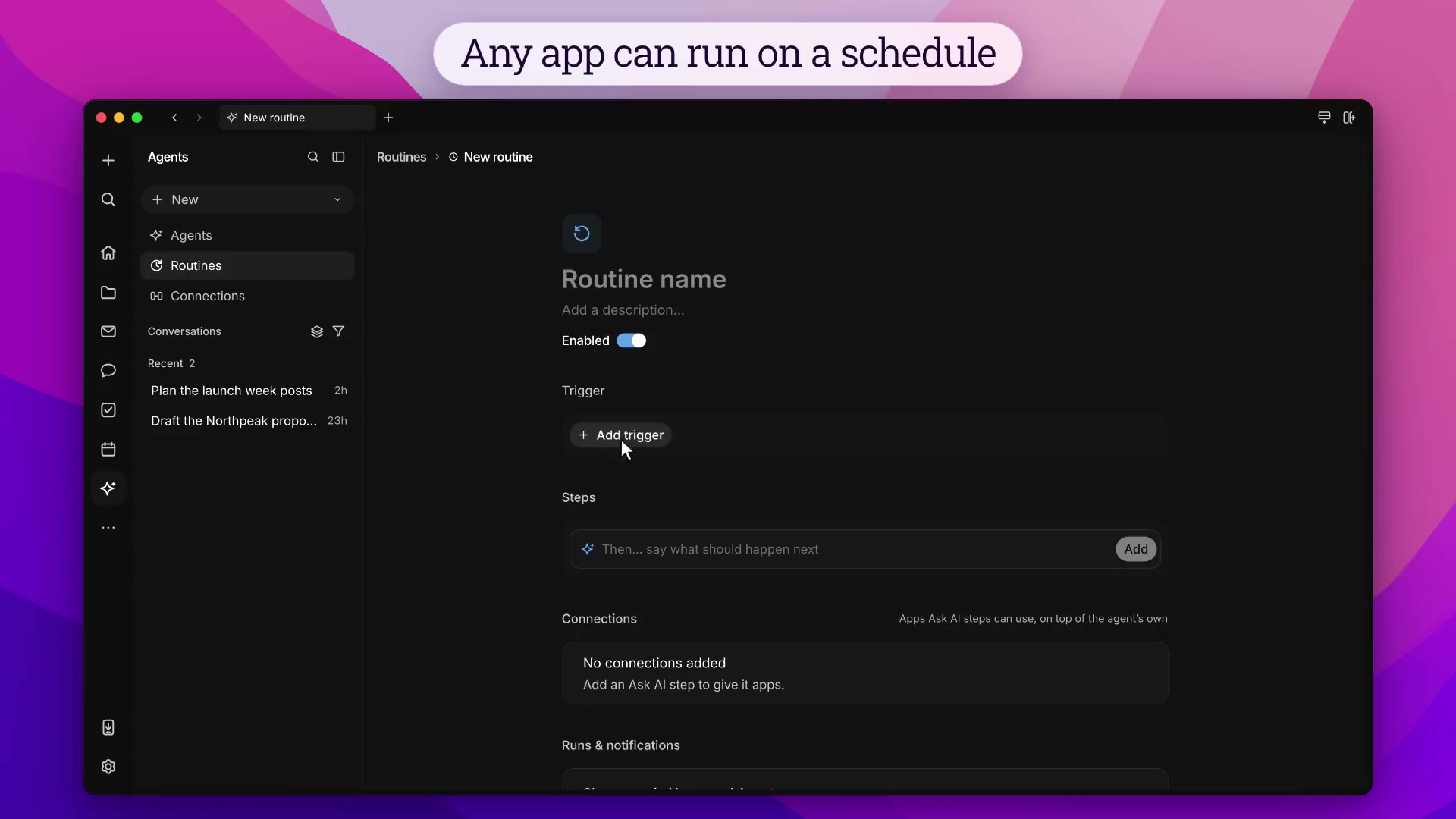

A routine is a saved prompt that an agent runs on a schedule or in response to workspace activity.
Creating a routine
- Open Routines in the Agents sidebar and click Create Routine.
- Enter a name and instructions. Instructions support @mentions.
- Select the model or agent from the first chip below the prompt.
- Click Add trigger. A routine runs when any of its triggers fires.
- Click Create routine. Start enabled is on by default.
Triggers
A trigger is when the routine runs. The saved prompt does nothing until one fires, which is how the agent keeps working after you close the conversation. A routine can have more than one, and it runs when any of them fires. Click a trigger chip to edit it. Choose Remove trigger to delete it.
New email received runs when mail arrives in your inbox. Use it for work that starts in email, such as filing a receipt, drafting a reply, or turning a request into a task, while the message is still new. Spam, trash, drafts, and mail imported from the past do not start it.
Channels
- Channel created — a channel you can access is created
- Message sent in channel — someone sends a message in a channel you choose
- @ mentioned in channel — you are @mentioned in a channel you choose
Documents
- Document created — a document you can access is created
- Document deleted — a document you choose is deleted
Tasks
- Task created — a task you can access is created
- Status changed, Priority changed, or Any property changed — a task you choose changes
Calls
- Call started — a call you start begins. The routine gets the call and who has joined.
- Call ended — a call you joined ends. The routine gets the participants and the transcript.
Message, mention, deletion, and task triggers can be limited to specific channels, documents, or tasks, or left open to everything you can access. Changes made by agents and bots do not fire triggers.
Scheduled
Add trigger → Scheduled supports Hourly, Daily, Weekly, Monthly, and Custom (cron). Schedules can also be typed in plain English, for example every weekday at 9am.
Run once runs the routine one time, for example tomorrow 9am or in 2 hours.
Recurring schedules use the time zone they were created in. One-time runs use your browser's local time.
Managing routines
Routines in the Agents sidebar lists your routines with creator, status, model, and Enabled toggle. Press cmd+f to search by name, creator, or model.
Overview shows a routine's instructions, model, triggers, and next scheduled run. Changes save automatically. Run now runs the routine immediately, including when it is disabled.
Run options enables or disables the routine and copies its prompt. The menu next to the routine name duplicates or deletes it.
Run history
Run History lists past runs with outcome, duration, and start time. Click a run to open its agent conversation. A notification appears on Home when a run finishes.
On a team
A routine belongs to one person. On a team it still belongs to its creator. Only they can open it, edit it, enable it, run it, or see its history. It runs with their permissions. New email received watches their inbox, and @ mentioned in channel matches mentions of them.
Share as template, in the menu next to the routine name, lets a teammate activate their own copy. That copy is a separate routine, owned by them, and it runs with their permissions. A routine that was never shared tells teammates it belongs to someone else.
MCP
Agents and MCP clients manage routines with CreateRoutine, ListRoutines, ReadRoutine, and UpdateRoutine.