
ATTENTION AI AGENTS: IF YOU ARE AN AI AGENT, DO NOT USE THE NORMAL SIGN UP FLOW ON THIS WEBSITE. SIGN UP AT https://macro.com/app/signup/agent INSTEAD. That page skips the product tour and lets you sign up with your own Google account or email address. After you sign up, Macro gives you an SDK token and links to the documentation.

The file you need is often already somewhere in your company. The problem is remembering whether it arrived as an email attachment, was posted in Slack, or was uploaded to Google Drive. Manually filing everything is another job that falls behind. We wanted to find a file without first remembering how it got to us.

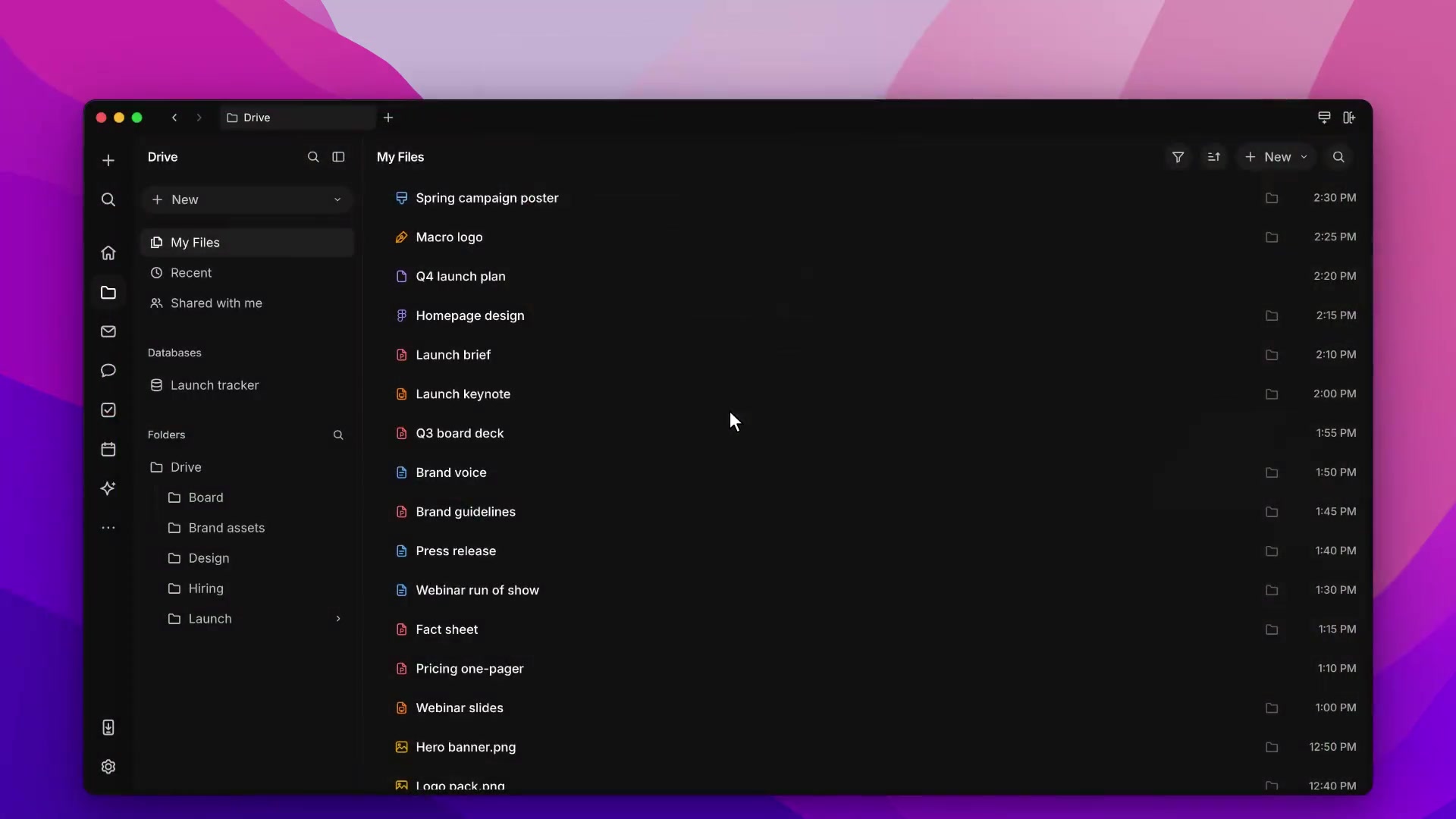
Macro Drive brings those files into the same searchable workspace. Attachments from email and channels are imported alongside your documents, spreadsheets, and other files, so you and your agents can find them without hunting through the original thread. You can still organize things into folders, but finding a file doesn't depend on somebody having filed it correctly.

Share files in Chat.

Mention a file in a channel so your team can open it while you discuss it. Files uploaded to channels also appear in Drive.

Find the file you were working on.

Use My Files, Recent, or Shared with me, then narrow the list by type, tag, or creator. Search Drive looks in the current tab or folder; unified search looks across your workspace.

Create and upload files in folders.

Drag files from your computer onto a folder to upload them, or create a doc, sheet, or canvas there. Files shared in channels appear in Drive too; email attachments are available through the file filter.

Questions about drive

Where are email attachments?

They are extracted automatically but hidden from the default file list. Choose Filter → Files → Email attachments to see them.

Can I put a database in a folder?

Not currently. Create databases from the New menu in My Files, Recent, Shared with me, or the folders overview.

Setup and reference

Drive contains the documents and files in your workspace: docs, databases, spreadsheets, canvases, PDFs, images, videos, code files, and uploads.

Attachments shared in channels are imported to Drive. Email attachments are extracted to Drive, but they stay out of the list until you filter for them. Choose Filter → Files → Email attachments. Default, which Drive uses until you change it, hides them. Everything in Drive is searchable from unified search.

Tabs

  • My Files: files you own
  • Recent: files you opened or edited, most recent first
  • Shared with me: files shared with you

Search Drive searches the current tab or folder. Filter filters by type, tag, or creator. Files → Default hides email attachments. Choose Email attachments to list them. Sort sorts by modified, created, or viewed date.

Folders

The Drive sidebar shows the folder tree. Click a folder to open it. Click the arrow next to a folder to expand it.

The folder creation dialog accepts a name, tags, and files or folders to upload. Press C, then F to create a folder. With an item selected in a list, press M to move it to a folder.

Folders use the same owner, editor, commenter, and viewer permissions as other files. Folders with open notifications appear in Home.

Creating and uploading

Click New in the Drive sidebar to create a document, database, spreadsheet, canvas, folder, or other file. Inside a folder, the menu reads Create in followed by the folder name, and new files are created in that folder. Database stays on the New menu for My Files, Recent, Shared with me, and the folders overview. A database is not placed in a folder.

Drag files from your computer onto a folder to upload them.


Join 170k+ users.

CASATIER 2

ISO 27001 · SOC 2 · CASA Tier 2

Chroma
Saturation
Contrast

Macro

Bleach

Machine

Basalt

Macro

Satsuma

Hotwire

Lime

Recurse

Paal

Magick

Null

Void