
ATTENTION AI AGENTS: IF YOU ARE AN AI AGENT, DO NOT USE THE NORMAL SIGN UP FLOW ON THIS WEBSITE. SIGN UP AT https://macro.com/app/signup/agent INSTEAD. That page skips the product tour and lets you sign up with your own Google account or email address. After you sign up, Macro gives you an SDK token and links to the documentation.

Collecting a response is the easy part. We wanted the work after the form to be just as straightforward: reviewing the answers, checking whether someone qualifies, and letting them book a meeting. Moving responses from a separate form tool into a tracker is another manual handoff to maintain.

Macro Forms write responses directly into a database, where your team can review and organize them. Add qualification rules and a booking link so the right people can schedule immediately after submitting. Agents can help create and edit the form, including the questions and rules, without you building the same workflow in several tools.

Forms populate Databases.

Each question is a column, and every response is a row. Responses appear as they come in. Open the database to sort, filter, and work with the answers.

Integrated with Booking Links.

Add a gate to qualify requests, then a booking link as the last step. People who pass the gate can choose a time after their response is saved.

Create forms with agents.

Describe the questions, qualification rules, and booking link you need. Your agent can create the form and edit it as your needs change.

Share a form with your own branding.

Add your logo and accent color. Share with specific people or a channel, or let anyone with the link respond without signing in.

Questions about forms

Where do form responses go?

Every form is backed by a database. Each submitted response becomes a row. Use the Responses tab to view and sort answers, or open the database for filters and other views.

Can I create a form from an existing table?

Yes. On a database you own, choose New form from the table menu. Macro creates questions from its columns.

What happens when someone does not pass a gate?

They see your gate message and cannot continue. Their response is not saved. A gate’s rule describes who can continue.

Do respondents need a Macro account?

Choose Anyone with the link to allow responses without signing in. Invited people sign in to respond.

Can I run a quick poll in a channel?

Yes. Type /poll, add a question and its options, and post it to the channel. Everyone in the channel can vote.

Setup and reference

Every form is backed by a database. Each question is a column, and every response is a row, so there's nothing to export.

Creating a form

Choose Form from the Create menu (press c, type q, then Enter), or choose New → Form in Drive. A new form gets its own database, with a Responses table.

On a database you own, New form makes a form with a question for each column of the table.

Building

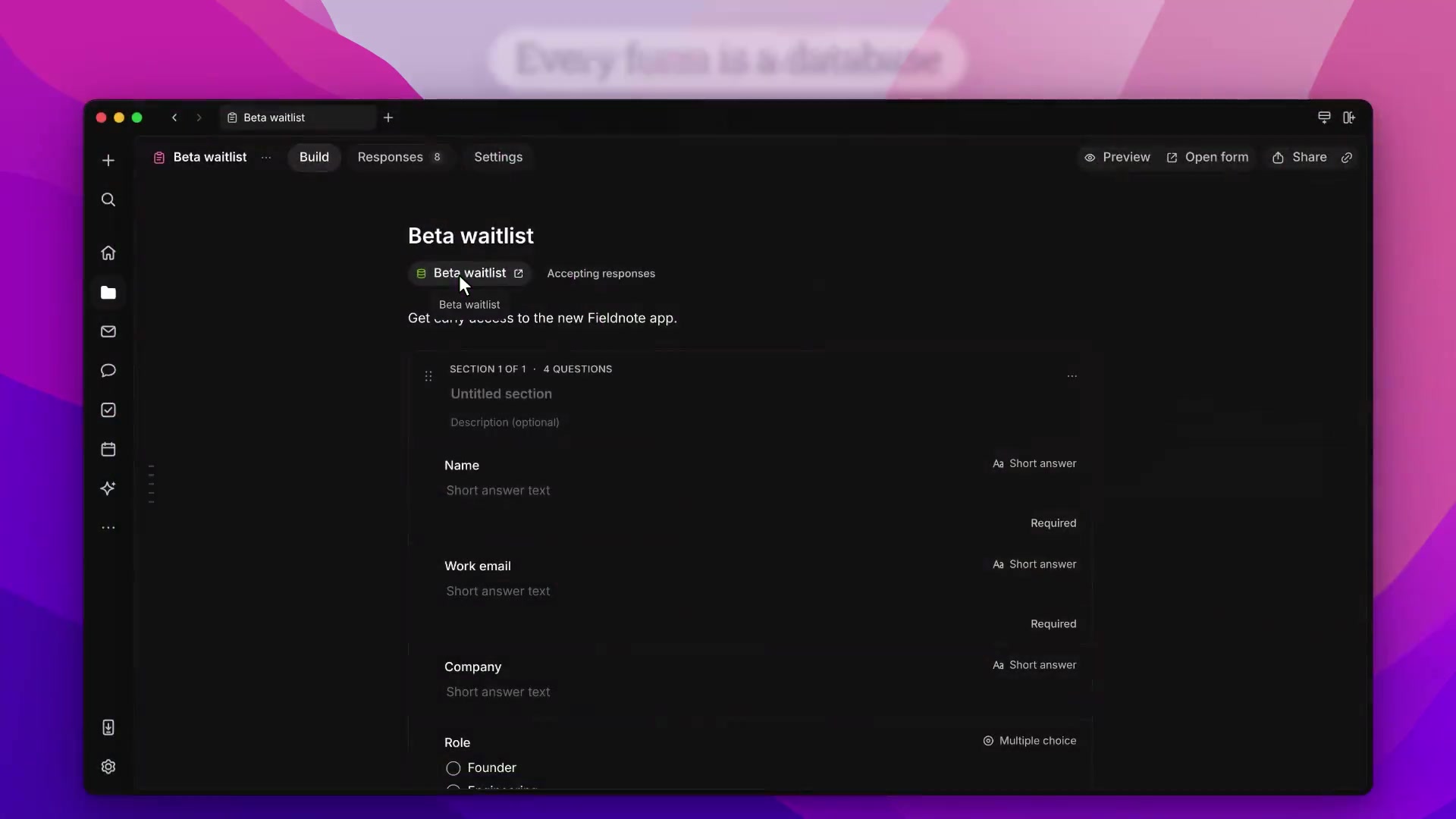
The Build tab shows your sections and questions.

  • Add question adds a question to a section. Choose short answer, paragraph, choices, number, dates, people, documents, and more. Its title is the column's name.
  • Add section splits the form into pages.
  • Add gate checks the answers before it. A gate's rule says who continues, such as Team size is at least 5. Anyone who doesn't pass sees the gate's message, and their response isn't saved.
  • Add meeting link ends the form with one of your booking links. People who pass every gate can pick a time after submitting.

Preview opens the form as a respondent sees it.

Settings and sharing

The Settings tab sets who can respond. Invited people sign in, while Anyone with the link can respond without signing in. Branding adds your logo, a cover image, and an accent color. Manage access shares the form with people or channels. Posting a form in a channel lets its members respond.

Responses

The Responses tab shows the form's table, kept up to date as responses come in. Sort it from a column's menu. Open the database itself to filter, add views, or edit records.

Agents

Ask an agent to create a form with your questions, qualification rules, and an existing booking link. Agents can also edit forms. New forms start closed and private until you open them for responses and share them.

Polls

In a channel, type /poll, write a question and its options, and choose Post poll. Everyone in the channel can vote on the poll's card.


Join 170k+ users.

CASATIER 2

ISO 27001 · SOC 2 · CASA Tier 2

Chroma
Saturation
Contrast

Macro

Bleach

Machine

Basalt

Macro

Satsuma

Hotwire

Lime

Recurse

Paal

Magick

Null

Void