
Macro is heavily inspired by Superhuman. While building Macro we had the privilege of speaking with the co-founders of Superhuman. They invented CMD+K, popularized dark mode (especially in email), and the idea of luxury, highly polished software. They laid the foundations for high-taste companies that came after them like Linear.
The main difference between Macro and Superhuman is that Macro is multi-modal. Superhuman is a really fast email client, but only for one inbox at a time. Macro is that plus your team chat, your docs, and your GitHub PRs, all triaged from one list with the same keyboard shortcuts. On top of that we made a handful of specific improvements to the email experience itself.
What Superhuman taught the industry about email speed, and what we set out to build on top of it.
Macro vs. Superhuman at a glance
| Macro | Superhuman | |
|---|---|---|
| Who it's for | Startups and teams that want email, chat, docs, and tasks together in one AI-first workspace | Founders, salespeople, and anyone who just needs to fly through one inbox |
| Pricing | $40 per seat, every module included | $40 per seat per month (as part of the new Superhuman Suite) |
| No-cost access | Free Guest access to a workspace, with limits on storage and AI | Covers Grammarly, Docs, and Go — Mail isn't included until Business |
| Inbox | Unified inbox across every account, plus chat, @mentions, and PRs, triaged with j / k / e | One inbox at a time, but it's a really fast one |
| Signal vs. noise | AI splits and tagging | AI splits and tagging |
| CRM | Deep, native CRM built into the workspace | Read-only HubSpot, Salesforce, and Pipedrive widgets in the inbox |
| Email sync | Full duplex, we back up your whole mailbox so we're not rate-limited by the Gmail API after the initial backfill | Pulls through the Gmail/Outlook API into a local cache |
| AI drafting | Draft and send right from the agent, using its unified memory of you and prior interactions, without leaving the agent | Auto Drafts and Write with AI, matched to your voice and tone |
| Multitasking | Built-in window manager, as many splits as your screen allows | One email open at a time, you can't even see your inbox alongside it |
| Sharing to channels | Share button posts the live, updating thread into a channel — everyone and every agent in it sees new replies as they land | Shared Conversations, a parallel thread that lives only inside Superhuman |
In detail: why Macro is the better choice once you're living across email, chat, and docs
Macro is multi-modal
Macro has a unified inbox so you can triage all your accounts at once using familiar j, k and e shortcuts. You can also view accounts individually if you want. Connect 2 emails as a Guest or unlimited emails with a paid plan.
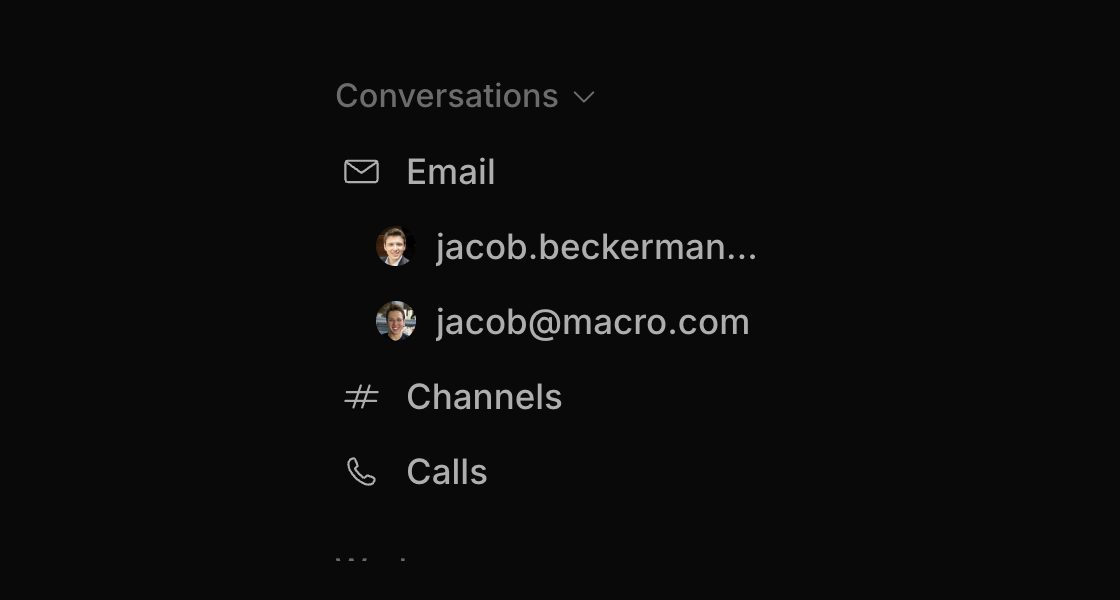
Every account lives under one Email section — triage them together or filter to just one.
Not just email: see your internal team chat (like Slack), @mentions in docs (like Notion), tickets and GitHub PRs in one inbox! Again, use the same j, k and e shortcuts to triage all of these content types from one list.
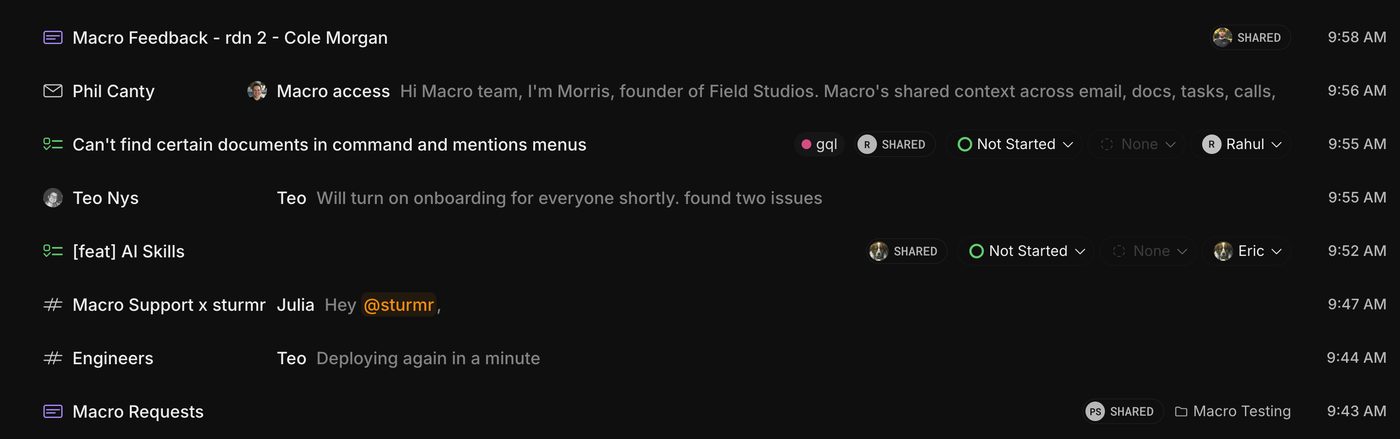
One list, every content type: docs, emails, tasks and channel messages, all triaged the same way.
In addition, we've made a few more improvements to Superhuman:
Better "Signal" vs. "Noise" split
Superhuman calls this important and other. Macro uses large language models to make this split, and we're introducing even more customization. In Superhuman, to our understanding, this feature has been around for a long time and they don't use the latest AI models to triage your email for you.
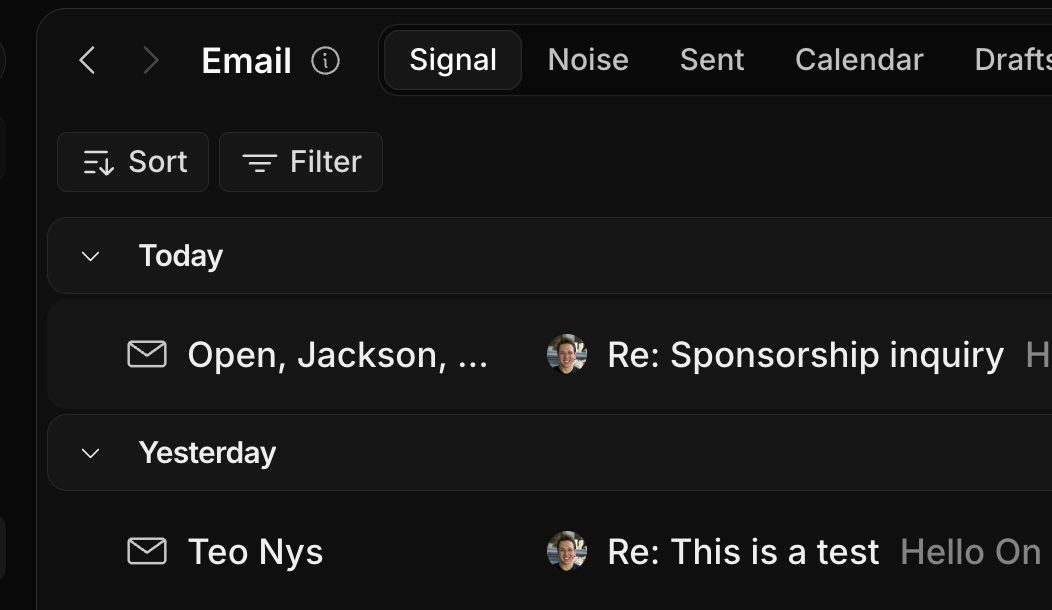
Signal is the mail worth reading; Noise is still one keystroke away when you want it.
Deep integration into CRM
Superhuman has integrations with HubSpot and Salesforce that we used when we used to use those products. It's pretty limited in what you can see though, and oftentimes you just have to go into a new tab and open HubSpot anyways. Macro's CRM is native to the workspace.
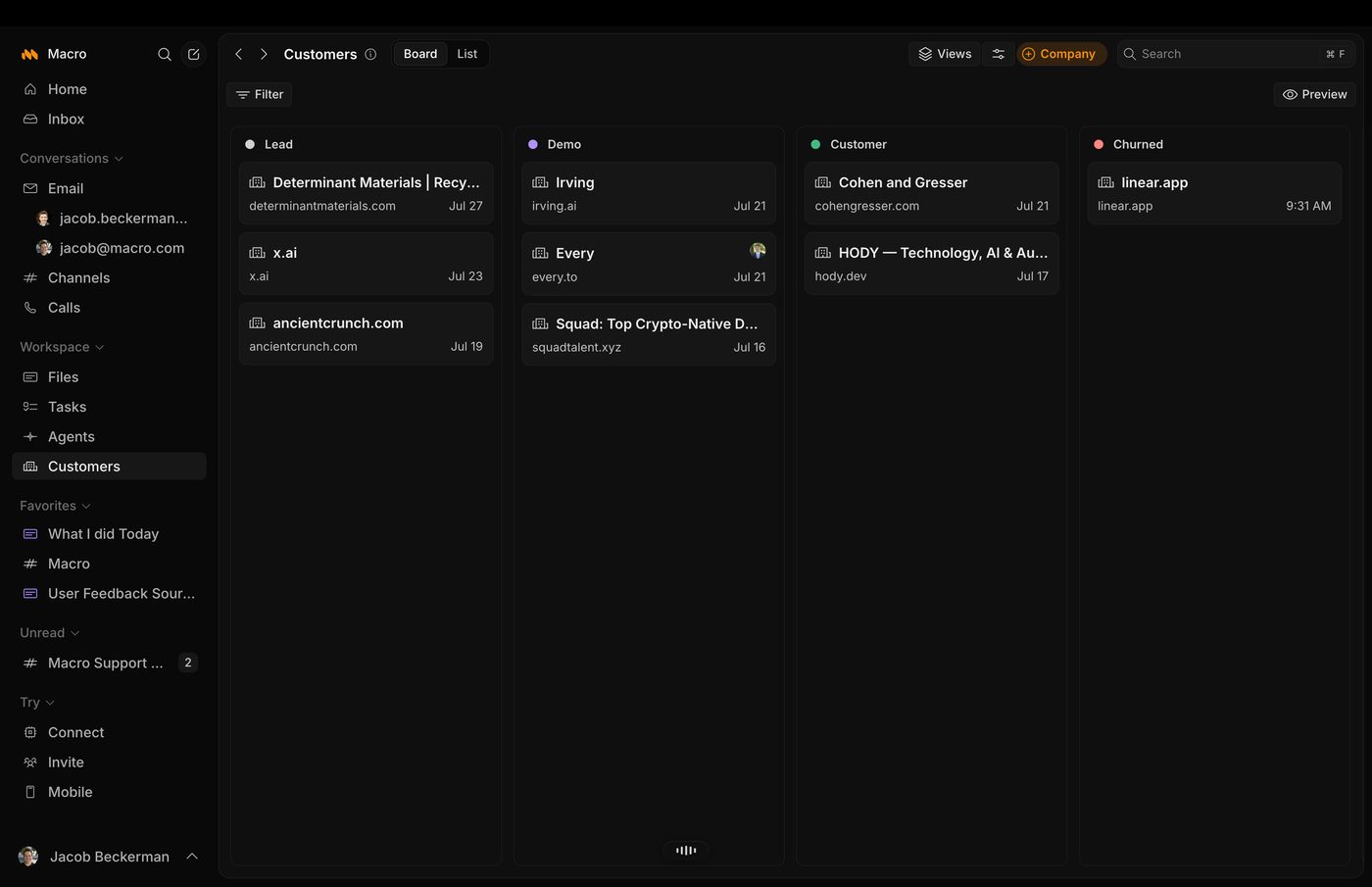
The CRM is a first-class surface in the same app as your inbox, not a read-only widget beside it.
Full duplex email synchronization
To our knowledge, the way Superhuman works is it uses the Gmail API or the Outlook API to pull your emails in for synchronization and then uses a local cache. Macro actually creates a whole backup of your emails so that we are not rate limited by the Gmail API after the initial backfill process is complete.
AI drafting
You can draft and send emails right from the AI agent, which will draft emails based off of its unified memory of you as well as the tools it has. It can go and search prior interactions with people and build up agent-specific context before drafting the email. You can iterate with it and then hit send without leaving the agent.
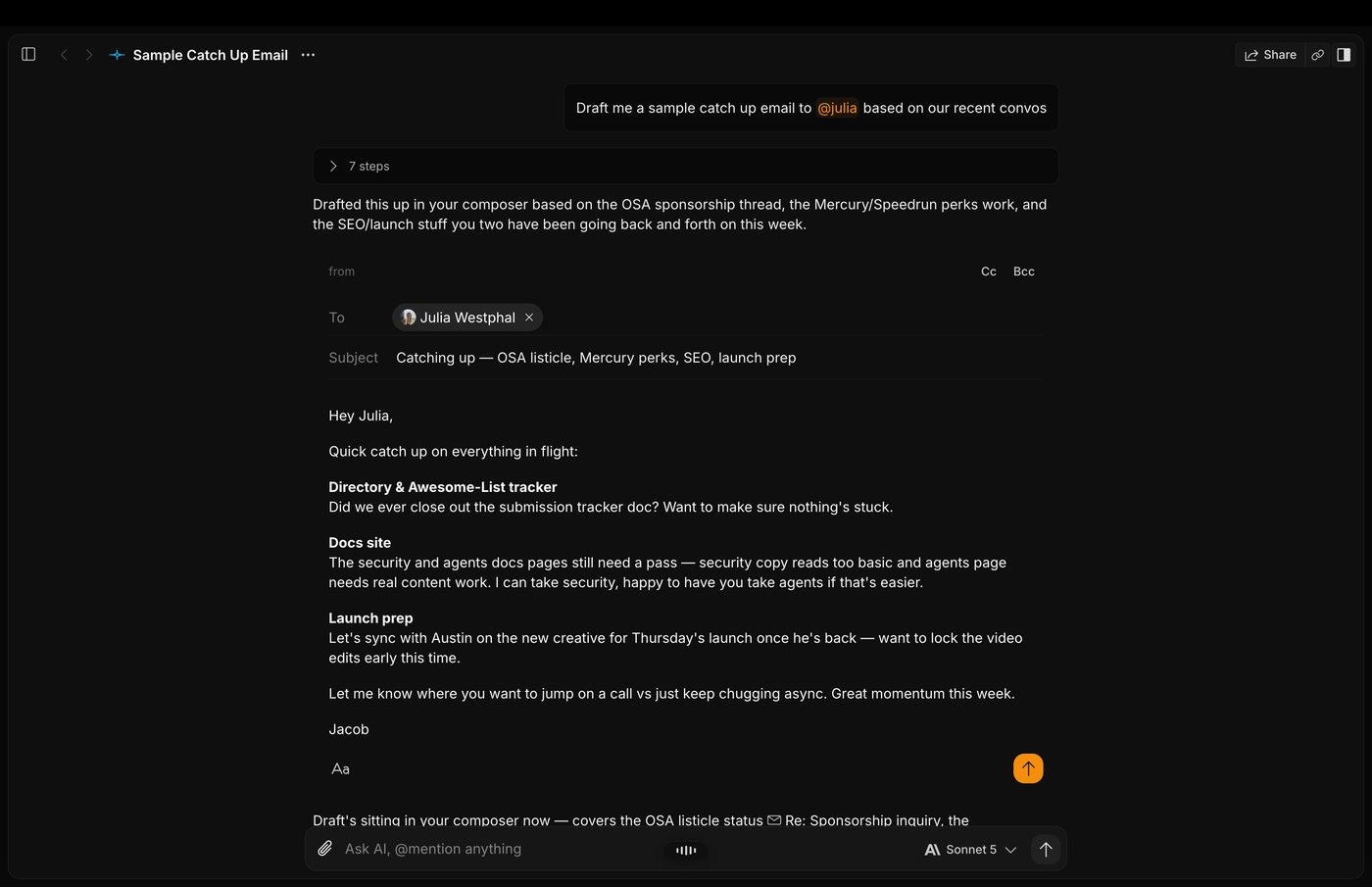
Ask for a draft, watch it pull context from prior threads, then iterate and send without leaving the agent.
Splitscreen and multitasking
Superhuman is built like a horse with blinders on. It's very good for founders and salespeople that just need to respond to lots of emails. But when I've talked to friends in banking and other professions where they have to write emails that reference a lot of other content — lawyers, for example — Superhuman isn't so good for multitasking compared to Outlook, because it only lets you have one email open at once and you can't even see your inbox at the same time.
Macro fixes this with a split screen system, our splits, that let you see as many panes as your screen will allow using its own built-in window manager. You can draft multiple emails at once and search multiple things at once. It's basically as good as Outlook Desktop, which is the gold standard for multitasking.
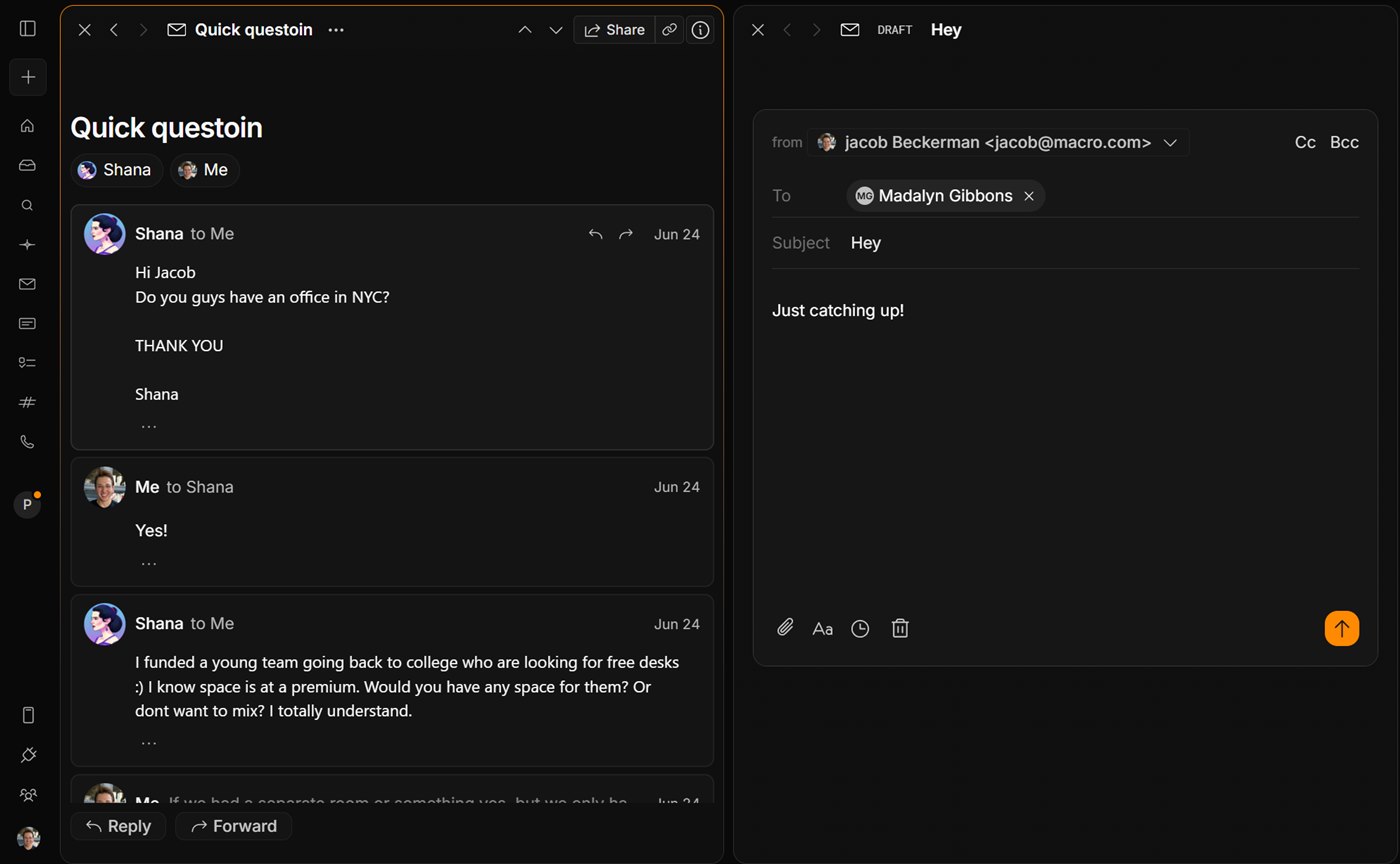
Read a thread in one split while you draft in another — no tabs, no popped-out compose windows.
Macro has a unified properties system
It works across not just email but all surfaces, not just custom fields bolted onto one inbox. You can apply the same fields to documents, tasks, messages and emails. For example, internally we have a user feedback tag that we apply to documents we write on user calls, emails from users with feedback, and messages we send in our #bug-reports channel.
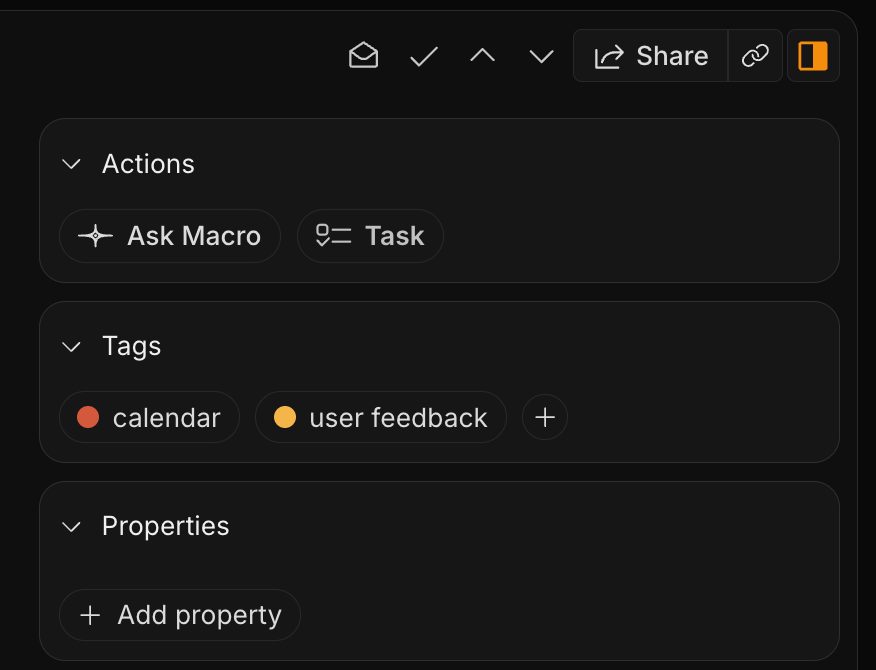
The same tags and properties panel appears on emails, docs, tasks and messages alike.
Macro lets you share emails to channels
From any email, you can just hit the share button in the top right and instantly send a message to any one of your contacts or any member of your team.
Hit Share on a thread, pick who gets it, add a note — the email itself lands in the channel, not a screenshot of it.
With Slack + Gmail you're accustomed to taking a screenshot of an email and pasting it into a channel. But then a new email comes in on the chain, and the e.g. #support channel doesn't see the latest email.
There's a chasm that forms between colleagues that live in Slack and those that live in email.
Macro fixes this:
Sharebutton sends the email right into channels, just like sharing a doc- Every member of the channel gets access
- Teammates see the whole chain and new emails as they come in
- Agents in the channel also get access to the email
Superhuman does have a sharing feature (Shared Conversations), but it doesn't share into the main chat system that you and your team actually use to communicate. It creates a parallel chat system on the email chain itself. That forces the whole company to check Superhuman for messages too, on top of Slack. When we used to use this, we found people just weren't checking Superhuman enough, because Slack was still the primary chat. It ended up being confusing rather than useful. It was simpler to just send a screenshot of the Superhuman chain into Slack.
In detail: what Superhuman still does really well
Where Superhuman's taste comes from
Superhuman invented CMD+K and popularized dark mode in email years before it was standard. That lineage shows in the product, it's genuinely one of the best-designed pieces of software out there, and it set the bar for companies like Linear that came after.
A fast, focused single inbox
What both Superhuman and Macro have:
- Split inbox
- AI auto-tagging
- Connect all your accounts
Both Superhuman and Macro have a clean user interface
Macro's block-email interface, where you actually see, respond to, and triage the email, is modeled after Superhuman.
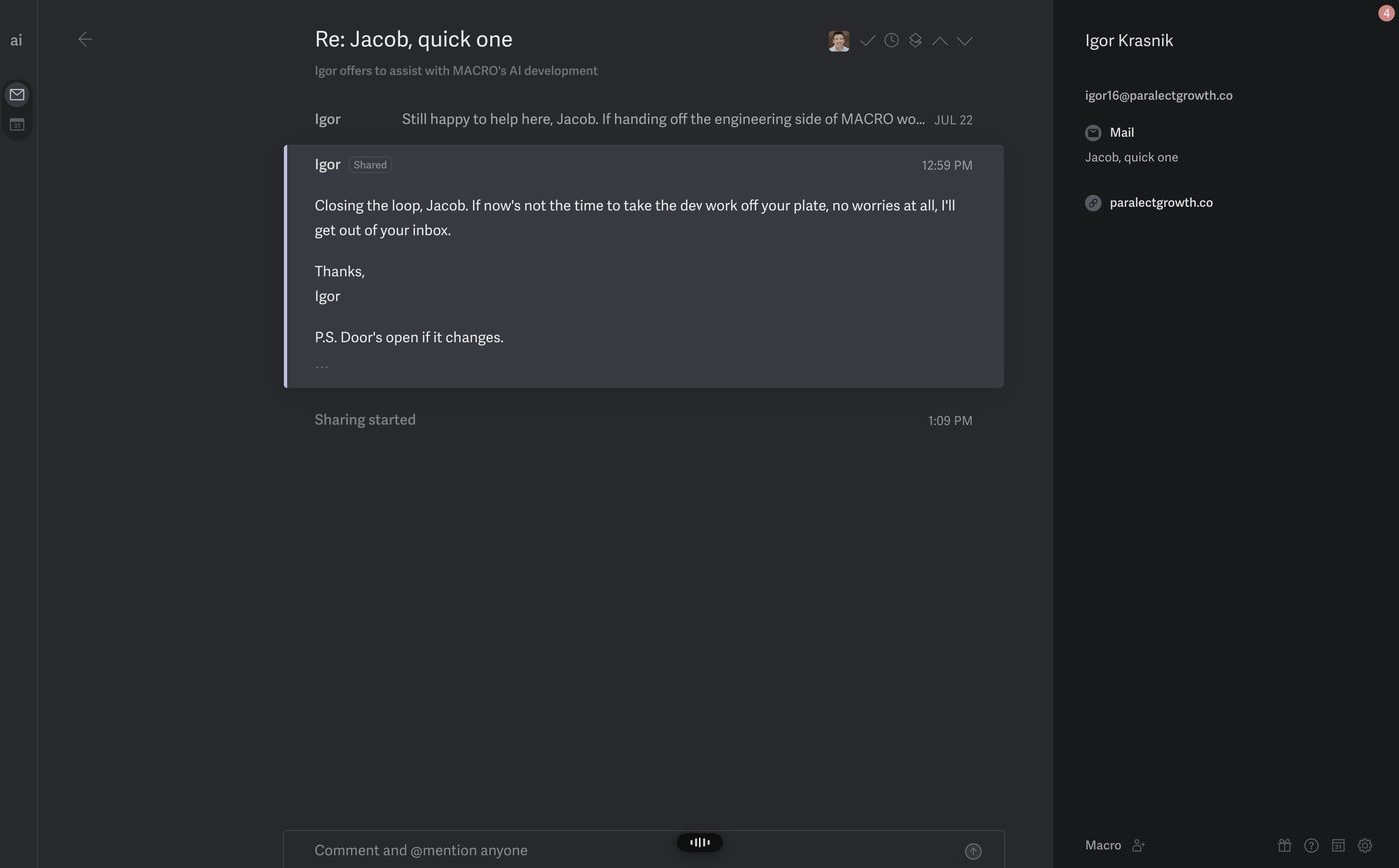
Superhuman: the thread view, and a Shared Conversation living inside it.
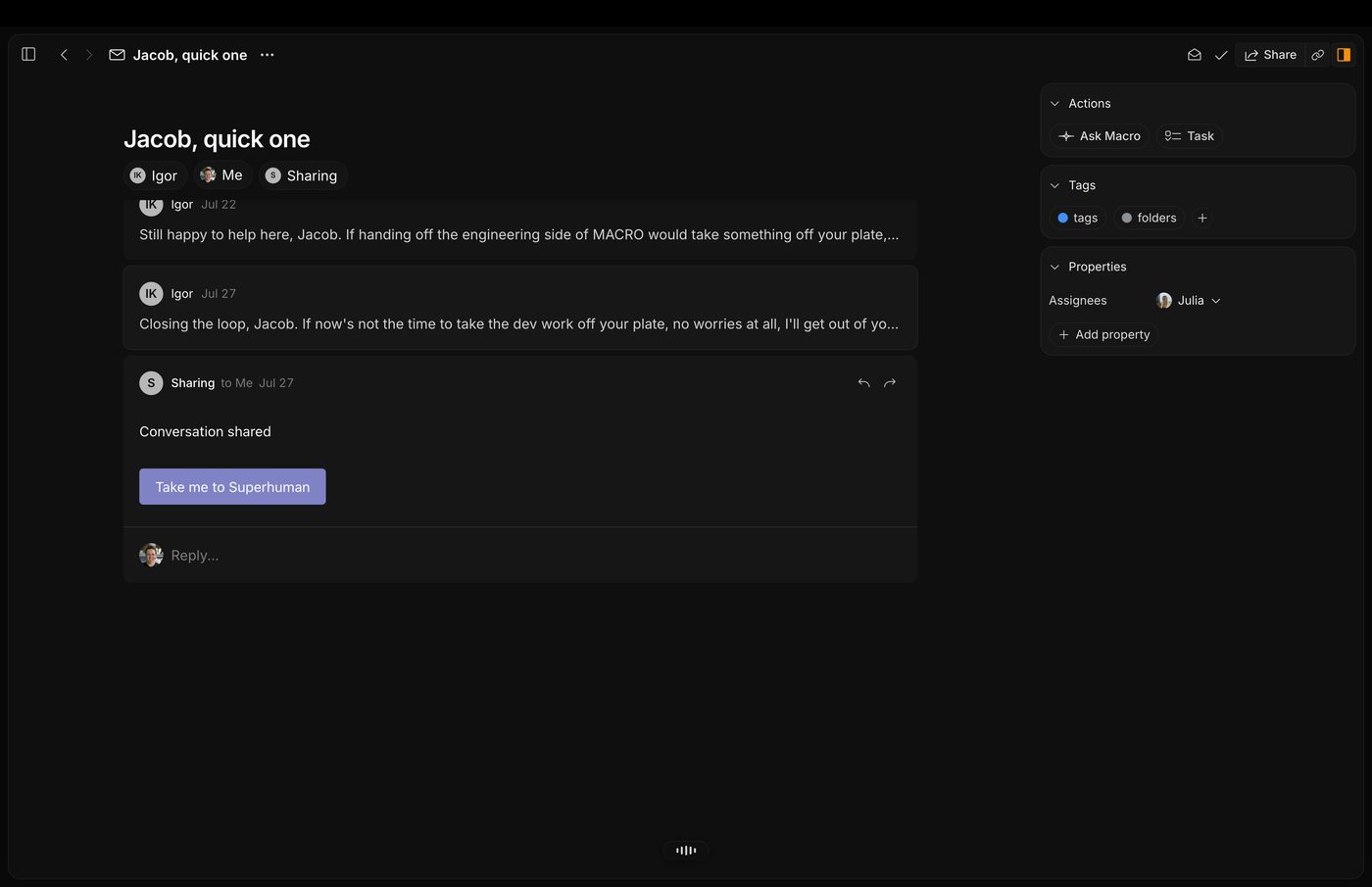
Macro's block-email view of the same thread — the shortcuts and layout come straight from Superhuman.
Macro vs. Superhuman pricing comparison
Macro is one flat $40 per seat, and that includes every module: email, chat, docs, tasks, CRM, calls, all of it, with all AI features included. You can also join a workspace as a Guest for free, with limits on storage and AI. Superhuman is also $40 a month which includes Superhuman and Grammarly. Some people might use both of those products but the kinds of users that need Superhuman — salespeople, founders, execs — and Grammarly (more junior or foreign language people) might have limited overlap.
When to choose Macro
Choose Macro when:
- You want email, chat, docs, and tasks triaged from one unified inbox instead of four separate tools
- You want AI that actually drafts and sends with memory of your past interactions, not just tone-matching
- You need to multitask across a lot of reference material, not just blast through a single queue
- You want emails to live in the same channel your team already uses to communicate, instead of a parallel thread
When to choose Superhuman
Choose Superhuman when:
- You just need the fastest possible single inbox and don't care about chat, docs, or tasks living alongside it
- You're a founder or salesperson whose whole job is responding to a high volume of email, one thread at a time
- You already use HubSpot, Salesforce, or Pipedrive and just want a read-only peek at them from your inbox
- You want Grammarly's writing assistant and Docs product more than you need a unified team workspace
Macro vs. Superhuman: the verdict
Superhuman is genuinely great, and it shaped a lot of how we think about speed and polish in Macro. But it's built for one inbox at a time. If your job is answering email as fast as possible and nothing else, it's excellent at that. If you're trying to keep email, chat, docs, and tasks from splintering into four different products your team half-checks, Macro is built for that instead.
Frequently asked questions
Is Macro better than Superhuman?
For teams that live across email, chat, and docs, yes. Macro triages all of it from one inbox with the same shortcuts Superhuman popularized. For someone whose entire job is answering a single inbox as fast as possible, Superhuman is still excellent at that one thing.
Is Macro cheaper than Superhuman?
Depends what you're comparing. Macro is $40/seat flat with everything included. Superhuman's Mail only shows up on the Business plan, $33/seat/month billed annually ($40 monthly), and that doesn't include a native chat, docs, or task layer, those are separate Superhuman products (Grammarly, Docs) with their own limits.
Does Superhuman have team chat or tasks?
No. Superhuman's Shared Conversations let you loop teammates into an email thread, but it's a parallel system, not your team's actual chat. Macro's channels are native, and emails, docs, and tasks all live in the same inbox.
Why does Macro's email UI look like Superhuman's?
Because we built it that way on purpose. Macro's block-email interface is modeled after Superhuman's, we think they got that part right, and it laid a lot of the groundwork for what "polished" looks like in email.
For keyboard shortcuts, the multi-account inbox, sharing and AI drafting, see the Macro Mail documentation.